A strong video is not created through decisions made only on the shoot day. Production becomes more controlled when the objective, audience, channel, duration, framing, narrative and delivery files are agreed before the camera is set up. A video brief gives the brand, production team, presenter and editor one shared point of reference.
The purpose of the brief is not to restrict the creative team. It removes avoidable ambiguity while leaving room for better ideas. The structure below can be adapted for social videos, product demonstrations, service explainers, interviews, event recaps and short advertising films.
Write the video’s job in one sentence
“We need a promotional video” is not a usable objective. State what the viewer should understand, feel or do after watching. “Explain three benefits of the new service and direct viewers to the quotation page” gives the team a clearer basis for selecting scenes, copy and calls to action.
Add the primary audience and viewing context. Will this reach people who have never seen the brand, existing customers or technical decision-makers? Will it appear in a silent social feed, a presentation, a YouTube channel or a paid placement? The same edit does not work equally well in every context.
Define every deliverable before filming
List more than one generic final video. Specify the master film, short cuts, vertical versions, captioned and clean outputs, cover frames, muted previews, language variants and any raw-footage or project-file handover. A new aspect ratio requested after editing may require reframing, redesigning graphics and rebuilding the pacing rather than simply exporting again.
- Channel and intended use.
- Landscape, vertical and square versions.
- Target duration for each output.
- Captions, logos, name straps and calls to action.
- Language, voice-over and music variants.
- Final files, project files and raw-footage scope.
- Review dates and final deadline.
When a vertical version is required, monitor that frame during production. An automatic crop from a landscape master can cut out a second person, a product or an important movement. The Instagram Reels editing guide covers vertical framing, interface-safe placement and captions in more detail.
Separate the script from the shot plan
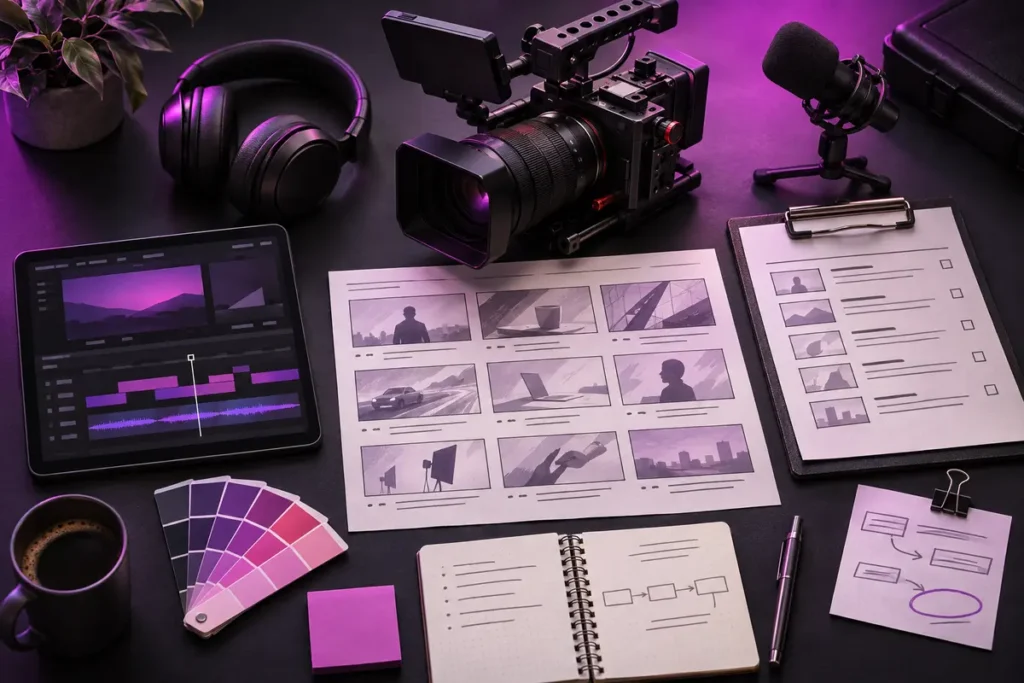
The script structures what the audience will hear or read. The visual plan shows how each point will be supported on screen. Match them scene by scene using message, picture, sound, on-screen text and estimated duration. This exposes gaps before the shoot—for example, a claim that has no supporting visual.
Read spoken copy aloud to test its natural length and breathing points. Record whether the presenter will use a teleprompter or speak from interview prompts. Add the approved pronunciation of brand names, product terms, personal names and unfamiliar words.
Useful fields in a scene table
- Scene number and approximate time range.
- Voice-over, dialogue or main on-screen message.
- Wide, medium, close, detail or screen-recording shot.
- Location, people, product and props.
- Camera movement or locked-off framing.
- Graphics, captions, animation and transition notes.
- Backup or alternative shot.
Build a shot list around real production conditions
A shot list should cover more than aesthetic labels. Include access, power, ambient noise, daylight direction, product preparation, wardrobe, permissions and transport. For exterior filming, record the weather alternative. In a customer-facing location, consider visitor privacy and the normal operation of the business.
Separate essential shots from optional coverage. If a sign, product label, device screen or specific service step must appear, do not hide it under a general “detail shots” line. Describe the required frame and the section where it will be used.
Create a technical foundation for picture and sound
A camera model alone is not a technical brief. Document delivery resolution, aspect ratio, recording frame rate, movement treatment, lighting approach, colour management and audio capture. When several cameras or phones are involved, compare resolution, frame rate and colour settings before production.
Do not choose frame rate on the assumption that a higher number is always better. Normal-speed material and slow-motion shots have different needs. YouTube’s current recommended upload settings advise uploading at the same frame rate used for recording and accept common rates including 24, 25, 30, 48, 50 and 60 fps. This does not make one rate correct for every project; the intended motion and delivery channel should be defined first.
For sound, list every speaker, the need for ambient sound, microphone options and any quiet-room requirement. Plan room tone and supporting visuals for interview edits. If music will be used, identify who supplies the licence as well as the desired mood and pace.
Keep the editable master separate from platform exports
The editing master should remain flexible and high quality, while delivery files are prepared for their channels. Adobe Premiere’s current export documentation identifies frame size, frame rate, field order, pixel aspect, profile, colour space and bitrate as settings to confirm for the selected format. Match Source can follow source properties, but the destination requirements still need to be checked.
YouTube’s official recommendations provide a practical starting point with an MP4 container, H.264 video, supported audio formats including AAC-LC, progressive scan and 48 kHz audio. Its player adapts to different aspect ratios, so black bars should not be baked into the file. Do not copy one preset to every platform. Give each delivery channel its own line in the brief and confirm the current official specification before export.
Collect brand assets before editing
Gather approved logos, colours, typefaces, intro and outro elements, name straps, icons, product imagery and legal copy in one place. Record which logo belongs on light or dark footage, whether fonts are licensed for the production team and which statements must remain on screen.
Add the logo, colour, typography and visual-language rules from the brand guidelines guide. Replace vague descriptions such as “dynamic” with two or three references and explain what each reference contributes: typography, pacing, transitions, camera language or colour.
Define reviews and revisions
Script approval, shot-plan approval, rough cut, graphics, sound mix and final export are different review stages. Rewriting the message during final delivery can create extensive rework. Name the decision-makers, require one consolidated feedback list and state what is approved at each stage.
Turn broad comments into specific notes. Instead of “make it more energetic,” identify the slow section, delayed message, long shot or unsuitable music cue. Time-coded feedback is easier to act on and reduces contradictory messages across email and chat.
Plan file naming and archiving
Organise delivery folders by channel, ratio, language and version. A structure such as brand-project_channel_ratio_language_v03 is safer than names such as “final-new-last.” Keep approved finals, captions, covers, audio mixes and any project archive in separate folders.
Agree how long raw footage will be retained, whether the editable project is included, when cloud access ends and whether fonts or plugins require separate licences. Receiving a project file does not automatically transfer every third-party right. Track music, stock, font and plugin licences separately.
Pre-production checklist
- Is the one-sentence objective and primary audience clear?
- Are channel, ratio, duration, language and caption versions listed?
- Are the script, scenes and shot list connected?
- Are location, people, product, permission, light and sound needs ready?
- Are logo, font, colour, graphic and legal assets approved?
- Do recording and export settings fit the target channels?
- Are rough-cut and final approvers named?
- Are file naming, archive, raw footage and project-file scope documented?
A useful brief aligns production and post-production
The value of a video brief is not its length. It is the ability to make the right decisions visible at the right time. When objective, audience, deliverables, script, shot list, technical setup, brand assets and approvals are connected, the creative team can spend more time improving the work and less time resolving preventable uncertainty.
For brand-aligned video editing, advertising films and motion content, review the video and design services. You can share your objective, channels and delivery list through the contact page.