Preparing an Instagram Reel is not simply a matter of cropping a horizontal video into a vertical frame. The phone interface, on-screen controls, reading time, sound balance and the promise made by the opening shot all affect the finished experience. Good editing is not defined by constant fast cuts; it is a clear sequence that delivers one useful message.
Meta describes vertical 9:16 video, audio and key creative elements placed within the safe zone as core practices for Reels creative. The guidance is published mainly for advertising, but it also provides a useful production framework for organic videos, portfolios, tutorials and short service promotions.
Define one clear objective
Before opening the editing software, write the purpose of the video in one sentence. Replace a broad goal such as “show our new service” with a viewer-focused promise. A question like “What happens between the first logo sketch and the final presentation?” immediately guides the choice and order of shots.
Trying to explain everything in one Reel usually creates a weak structure. Choose one central message and move supporting details to the caption, a pinned comment or a follow-up video.
Make the opening understandable
The first shot should do more than attract attention; it should quickly establish why the video is worth watching. A long logo animation or an unrelated visual effect can delay the message. Showing the result, the problem, a strong detail or the most interesting stage of the process gives the viewer useful context.
If you use an opening line, keep it short and let it add meaning rather than repeat the picture word for word. The image and text should work as a pair.
Plan for a vertical 9:16 frame
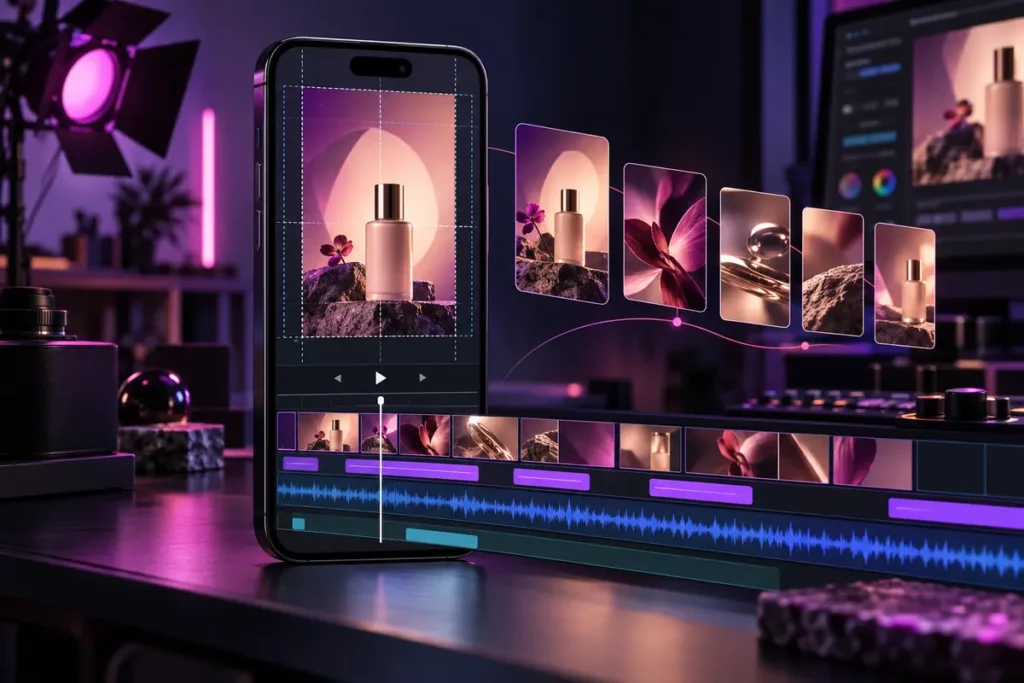
Vertical composition changes the visual centre. Two subjects that fit comfortably side by side in a horizontal shot may be separated by a vertical crop. Check the main subject, hands, product label and movement direction during filming rather than expecting the edit to solve every framing problem.
When using existing horizontal footage, make an individual decision for each shot. Automatic centre cropping is not always suitable. Reframing, a split layout, a controlled background extension or a new shot may preserve the information more professionally.
Protect key elements with a safe zone
Usernames, captions, audio information and interaction controls occupy parts of the Reels interface. Keep headlines, logos, product names, prices and calls to action away from the edges, especially the lower and right-hand areas. Meta’s Reels guidance also recommends placing key creative messages within the safe zone.
Do not depend on one permanent pixel template. Interface placement can change between devices, app versions and content types. Use guides while editing, then review the exported video full-screen on a real phone.
Create a readable text hierarchy
Break information into timed sections instead of displaying a full paragraph at once. Give the main headline the strongest visual weight and keep supporting text smaller. Too many fonts, colours and animation styles reduce clarity.
Match the amount of text to the time available for reading. Shorten the sentence when the cut is fast; hold the shot longer when an explanation matters. Use contrast, a restrained shadow or a subtle background panel when the footage is visually busy.
Treat captions as part of the design
Captions make spoken content usable for people who cannot play audio or who need additional support to follow the speech. Even when automatic captions are available, manually check names, brand terms, technical language and punctuation.
Keep captions away from the bottom interface area. One or two short lines are usually easier to follow than a large block. Word-by-word animation should emphasise only selected phrases rather than making every word compete for attention.
Edit to the message, not only the beat
Fast pacing is not right for every subject. Product texture, interface details and before-and-after comparisons need enough time to be examined. Tutorials need clear stages. Campaign videos may support a faster rhythm, but every transition should still have a reason.
Use speech meaning, gesture, camera direction and on-screen text as edit points alongside the music. Effects should strengthen the relationship between shots, not hide weak material.
Balance sound and confirm music rights
If speech carries the message, clean and balance the voice first. Music should support the mood without masking important words. Review the result on both headphones and a phone speaker.
Music licensing requires separate attention. Meta’s Instagram Help Centre explains that its licensed music library is intended for personal, non-commercial use and that some business accounts may have restricted access. For commercial work, use options such as Meta Sound Collection or music with a licence that clearly covers the intended use. Buying or downloading a track does not automatically grant permission to publish it in a branded video.
Use one relevant call to action
Not every Reel needs a sales instruction. Depending on the goal, the next step may be to view a portfolio, ask a question, save the checklist or contact the business. Asking the viewer to follow, comment, save, share and purchase at the same time weakens the hierarchy.
Pre-publish checklist
- Does the video communicate one central message?
- Does the opening explain the topic and reason to continue?
- Are the subject and product details complete in the vertical frame?
- Are headlines, captions and calls to action inside a safe area?
- Can the text be read comfortably on a phone?
- Have names and technical terms in the captions been checked?
- Are voice, music and effects balanced on a phone speaker?
- Are the rights for music and footage confirmed?
- Does the cover remain understandable when cropped?
- Is there one clear next step?
A strong Reel is a production system
Consistent short-form video depends on planning, filming, design, captions, sound and final review working together. For a broader publishing workflow, read the social media content calendar guide.
You can also review my video editing and social media services or use the contact page to discuss a Reel, motion design or advertising video project. The appropriate pace and visual language should always be chosen for the goal and available material.